Set the applet transition animation
1. Effect show
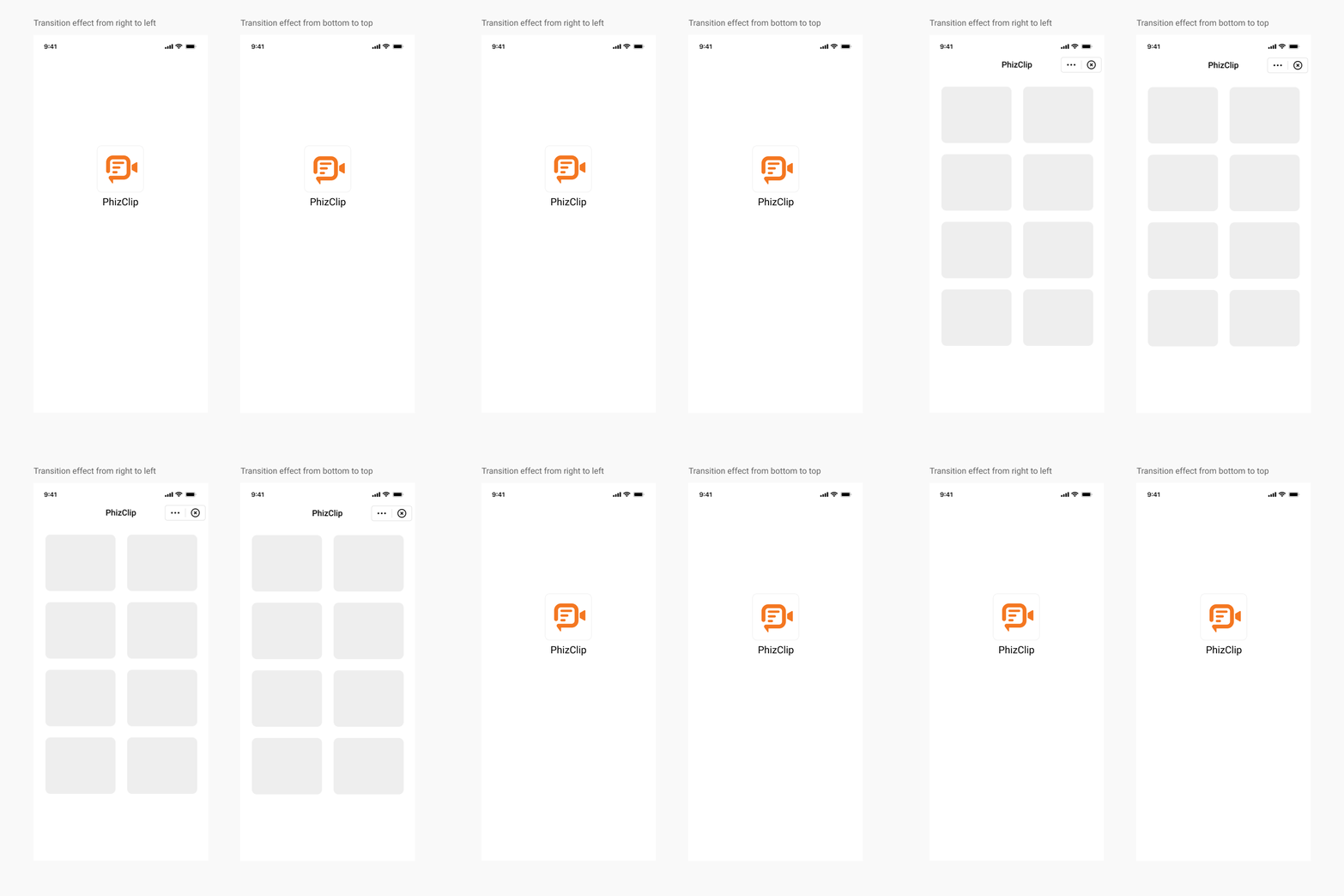
2. iOS setup method
We support multiple applet transition animations, which are implemented by the App and need to be set at the opening of each applet.
objectivec
//Transition effect from bottom to top
[[FATClient sharedClient] startRemoteApplet:@"appId" startParams:nil InParentViewController:self completion:nil];

//Transition effect from left to right
[[FATClient sharedClient] startRemoteApplet:@"appId" startParams:nil InParentViewController:self transitionStyle:FATTranstionStylePush completion:nil];
3. Android setup method
We support many kinds of applet transition animations, the setting is implemented by App, once set, all the applets in App will be implemented according to this effect.
The transition animation of the Activity in the applet is set by calling the setActivityTransitionAnim method of the IAppletApiManager interface:
java
FinAppClient.INSTANCE.getAppletApiManager().setActivityTransitionAnim(SlideFromRightToLeftAnim.INSTANCE);Five types of animations are currently available for setting:
- NoneAnim: no animation.
- SlideFromLeftToRightAnim: slide animation - left in, right out.
- SlideFromRightToLeftAnim: slide animation - right in, left out.
- SlideFromTopToBottomAnim: slide animation - top in, bottom out.
- SlideFromBottomToTopAnim: Slide animation - bottom in and top out.