React Native Integration
Integration sample code
Sample integration code is available herehttps://github.com/finogeeks/PhizClip-react-native-demo
If your environment does not have access to Github, you can also visit gitee mirror repository by clicking here.
1. Get applet credentials
You need to apply for SDK KEY and SDK SECRET to use the SDK. Only if you configure the correct SDK KEY and SDK SECRET during the initialization of the SDK can you initialize it successfully and use it properly.
1.1 Create Application
Registered users need to login to "Application Management - New Partner Application" to complete application creation;
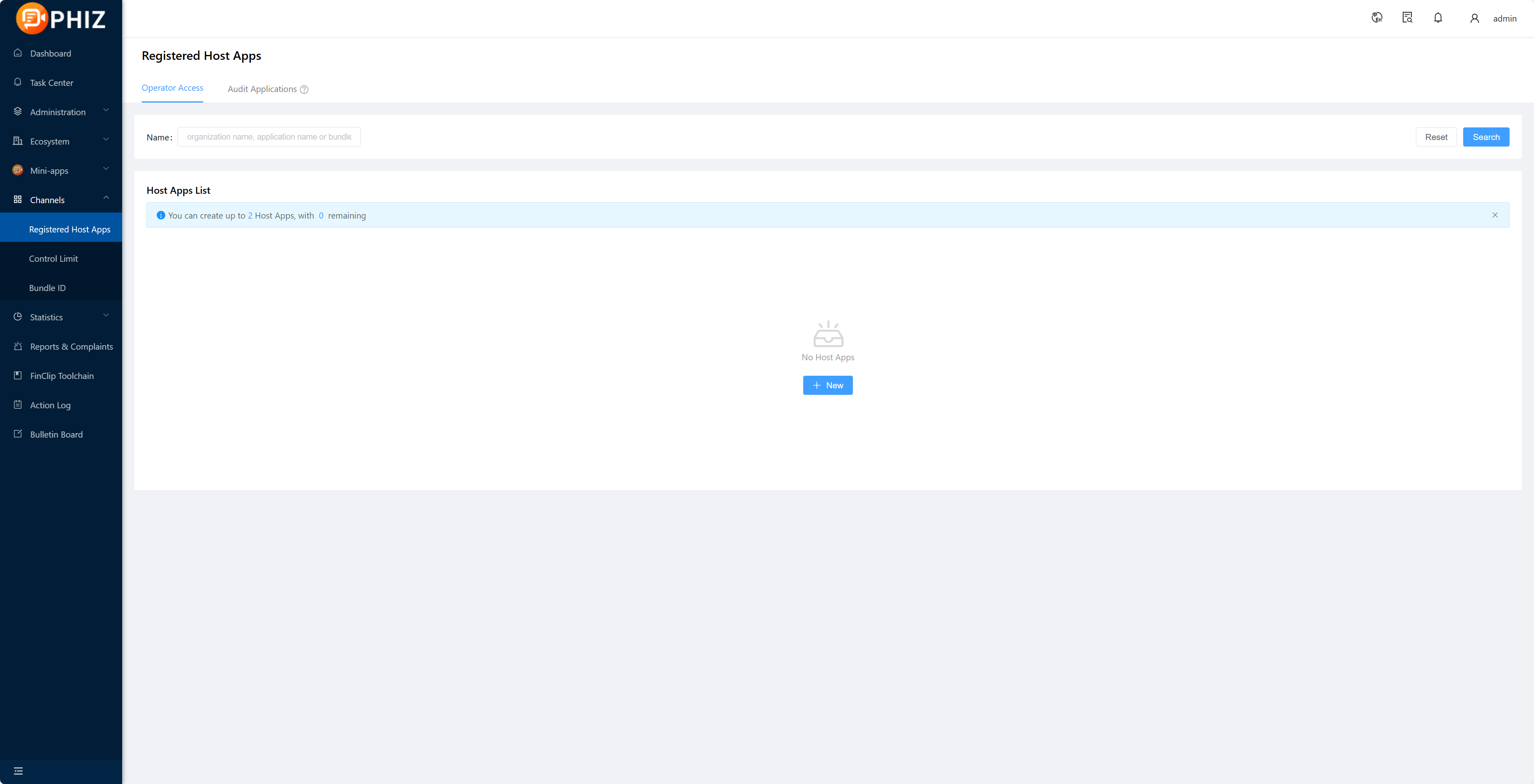
1.2 Get SDK KEY and SDK SECRET
After creating the application and adding the Bundle ID, if you need to export the corresponding SDK KEY and SDK SECRET, please select Copy after the corresponding Bundle ID and paste it by Ctrl+V or Command+V;
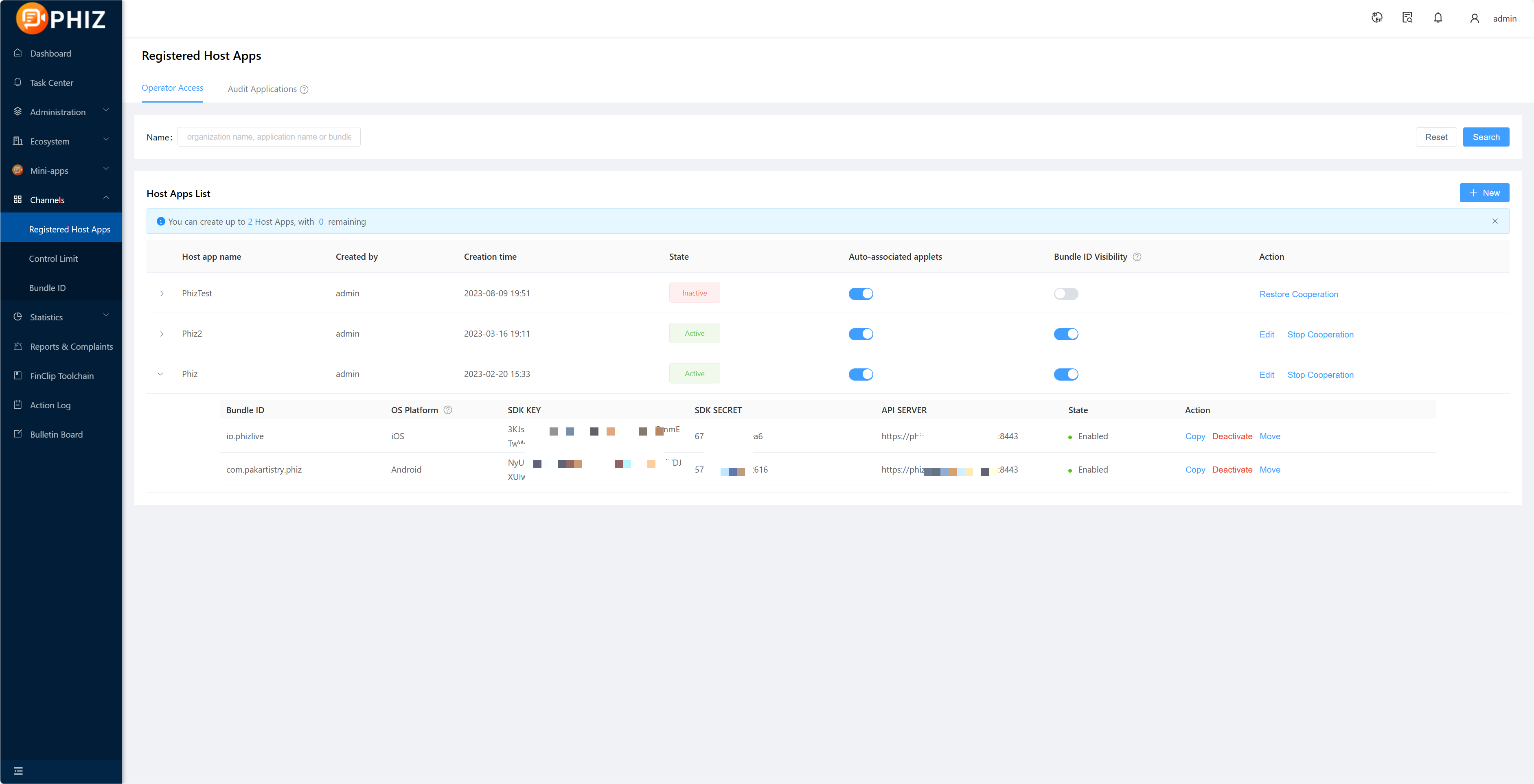
Among them:
- SDK KEY: is the credentials for the partner application to be able to use the applet SDK, if the SDK Key fails the verification, all Api of the SDK will not be available.
- SDK SECERT: is a security certificate to access the service, do not give it to a third party.
tips
Details on creating applications and obtaining SDK KEY and SDK SECRET,see「Introduction-Operation Guide-Enterprise operation guide-7.」
2. Integration Plugin
2.1 Introduction of plug-ins
Introduce the applet engine plugin.
Introduce the applet ReactNative plugin in the package.json file
"react-native-mopsdk": "^1.0.4"Installing plug-ins
$ npm install react-native-mopsdk --save
$ react-native link react-native-mopsdk
2.2 Initializing the engine
import MopSDK from 'react-native-mopsdk';
// 1. Introduce NativeModules, NativeEventEmitter
import { NativeModules, NativeEventEmitter } from 'react-native';

// 2. mop initialization
const eventEmitter = new NativeEventEmitter(NativeModules.FINMopSDK);
  MopSDK.initialize({
    appkey:
      'SDK Key Information', // SDK Key
    secret: 'SDK Secret information', // SDK Secret
    apiServer: 'Server Address', // Server Address
    apiPrefix: '/api/v1/mop/', // Server interface request routing prefix
    nativeEventEmitter: eventEmitter,
    finMopSDK: NativeModules.FINMopSDK,
  }).then(res => {
    console.log('Initialization successful')
  }).catch(err => {
    console.log('Initialization failure')
  })
2.3 Open the applet
MopSDK.openApplet({appId: 'xxxx'}); // Applet AppIDtips
- SDK KEY and SECRET can be obtained from the administration backend of the Community Edition.
- apiServer is the service address of the backend of the current applet, i.e.
IP:portentered in the previous section. - applet id is the unique ID of the applet on the management backend (automatically generated when the applet is on the shelf).
- The above parameters can be obtained from the backend interface of the previous server deployment or from the [PhizClip official website] without a server deployment(https://www.PhizClip.com/) Registration Experience.
- Important things to say four times,You can find the official [Github repository] at(https://github.com/finogeeks/mop-react-native-demo)View sample code;
- Please note that the Bundle Id of the APP needs to be consistent with the one added in the management backend, which can be checked in [Enterprise terminal - Application management].
3. Frequently Asked Questions
- Q: Can I use other react-native versions of the demo?
- A: Because the react-native version varies a lot, we recommend using the 0.67.4 version of react-native to run our official demo.
- Q: How do I clear the project cache?
- A: To manage the cache, you can use Metro's Cleanup Tool.
- Q: The iOS side can't run pod install on M1
- A: Use arch -x86_64 pod install instead of pod install.