Flutter Integration
Integration sample code
Sample integration code is available herehttps://github.com/finogeeks/PhizClip-flutter-demo
If your environment does not have access to Github, you can also visit the gitee mirror repository by clicking here.
1. Get applet credentials
You need to apply SDK KEY and SDK SECRET to use the SDK, only if you configure the correct SDK KEY and SDK SECRET during the initialization of the SDK, the initialization will be successful and work properly.
1.1 Create Application
Registered users need to login to "Application Management - New Partner Application" to complete application creation;
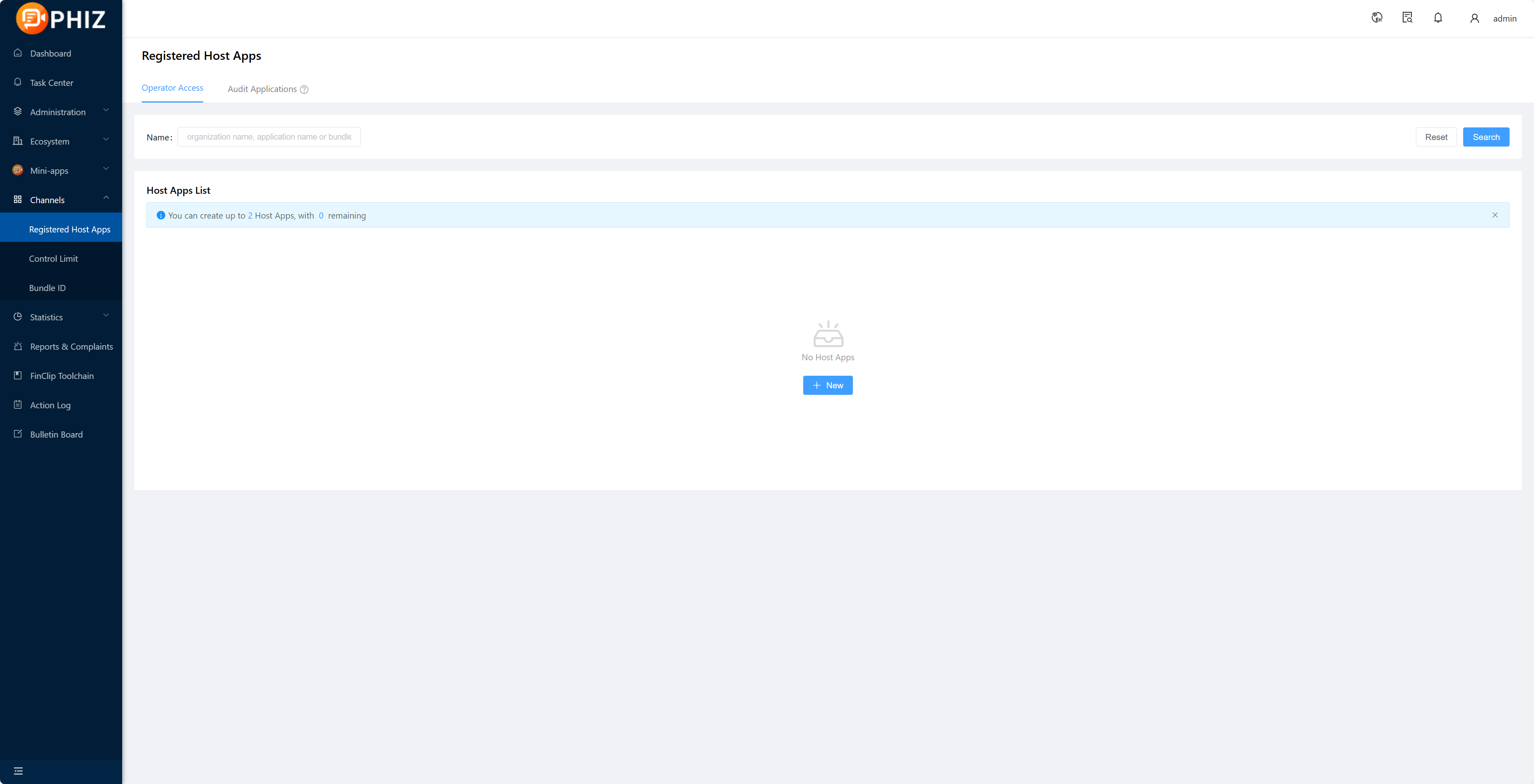
1.2 Get SDK KEY and SDK SECRET
After creating the application and adding the Bundle ID, if you need to export the corresponding SDK KEY and SDK SECRET, please select Copy after the corresponding Bundle ID and paste it by Ctrl+V or Command+V;
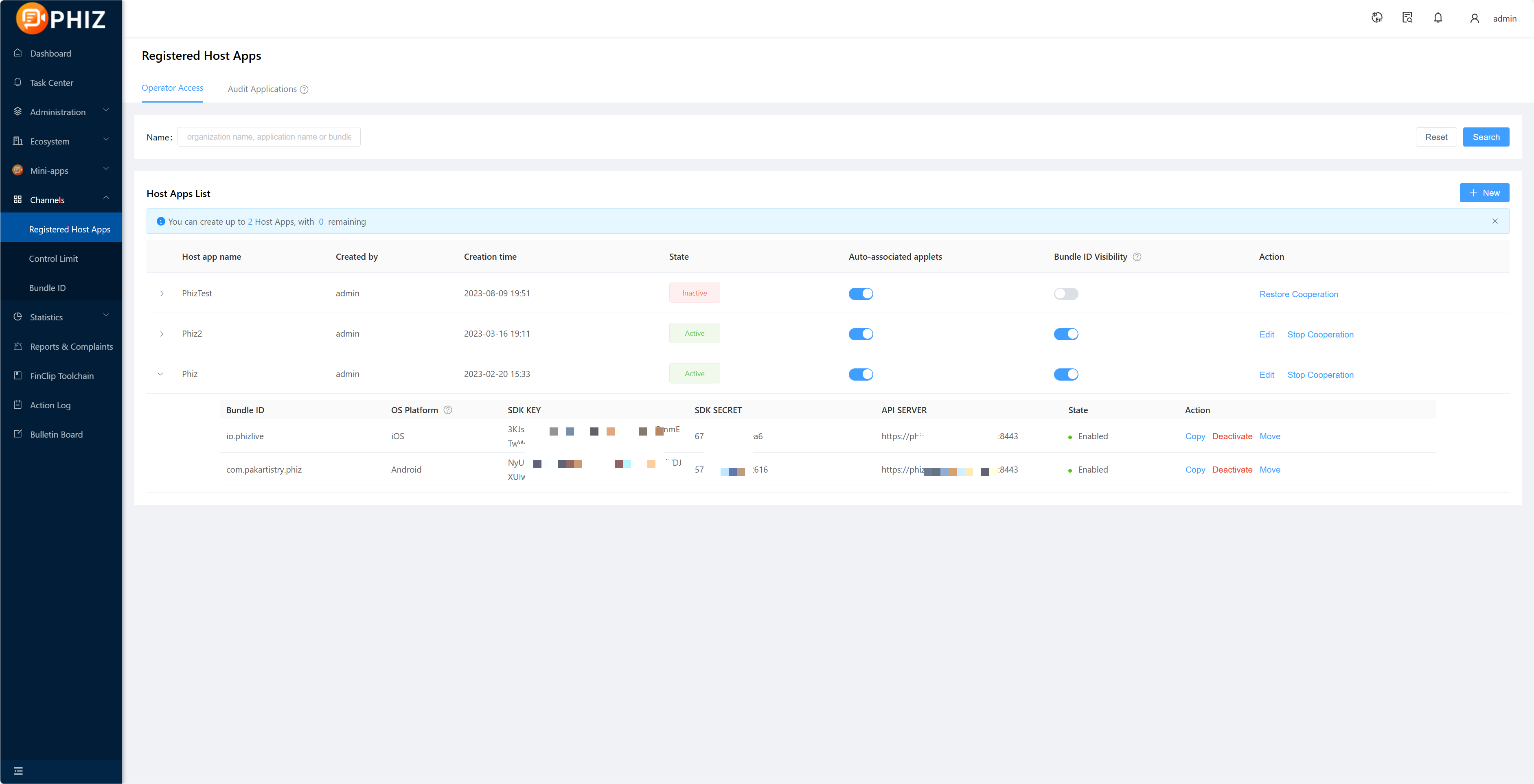
Among them:
- SDK KEY: is the credentials for the partner application to be able to use the applet SDK, if the SDK Key fails the verification, all Api of the SDK will not be available.
- SDK SECERT: is a security certificate to access the service, do not give it to a third party.
Tips
Details on creating applications and obtaining SDK KEY and SDK SECRET,see「Introduction-Operation Guide-Enterprise operation guide-7.」
2. Integration Plugin
2.1 Integration
Add dependencies to the project pubspec.yaml file
mop: latest.versionIf your computer has a mac M1 chip then you need to add the following 3 lines of code to the Podfile file in the ios folder
config.build_settings['ENABLE_BITCODE'] = 'NO'
config.build_settings['IPHONEOS_DEPLOYMENT_TARGET'] = '9.0'
config.build_settings['EXCLUDED_ARCHS[sdk=iphonesimulator*]'] = 'arm64 i386'
Example:
post_install do |installer|
installer.pods_project.targets.each do |target|
flutter_additional_ios_build_settings(target)
target.build_configurations.each do |config|
config.build_settings['ENABLE_BITCODE'] = 'NO'
config.build_settings['IPHONEOS_DEPLOYMENT_TARGET'] = '9.0'
config.build_settings['EXCLUDED_ARCHS[sdk=iphonesimulator*]'] = 'arm64 i386'
end
end
end
2.2 Give an example
import 'package:flutter/material.dart';
import 'dart:async';
import 'dart:io';
import 'package:mop/mop.dart';

void main() => runApp(MyApp());

class MyApp extends StatefulWidget {
  @override
  _MyAppState createState() => _MyAppState();
}

class _MyAppState extends State<MyApp> {
  @override
  void initState() {
    super.initState();
    init();
  }

  // Platform messages are asynchronous, so we initialize in an async method.
  Future<void> init() async {
    if (Platform.isIOS) {
      //com.finogeeks.mopExample
      final res = await Mop.instance.initialize(
          '22LyZEib0gLTQdU3MUauARlLry7JL/2fRpscC9kpGZQA', // SDK Key
          '1c11d7252c53e0b6', // SDK Secret
          apiServer: 'https://api.PhizClip.com', // Server address
           apiPrefix: '/api/v1/mop' // Server interface request route prefix
           );
      print(res);
    } else if (Platform.isAndroid) {
      //com.finogeeks.mopexample
      final res = await Mop.instance.initialize(
          '22LyZEib0gLTQdU3MUauARjmmp6QmYgjGb3uHueys1oA', // SDK Key
          '98c49f97a031b555', // SDK Secret
          apiServer: 'https://api.PhizClip.com', // Server address
           apiPrefix: '/api/v1/mop' // Server interface request route prefix
           );
      print(res);
    }
    if (!mounted) return;
  }

  @override
  Widget build(BuildContext context) {
    return MaterialApp(
      home: Scaffold(
        appBar: AppBar(
          title: const Text(' PhizClip Flutter plugin'),
        ),
        body: Center(
          child: Container(
            padding: EdgeInsets.only(
              top: 20,
            ),
            child: Column(
              children: <Widget>[
                Container(
                  decoration: BoxDecoration(
                    borderRadius: BorderRadius.all(Radius.circular(5)),
                    gradient: LinearGradient(
                      colors: const [Color(0xFF12767e), Color(0xFF0dabb8)],
                      stops: const [0.0, 1.0],
                      begin: Alignment.topCenter,
                      end: Alignment.bottomCenter,
                    ),
                  ),
                  child: FlatButton(
                    onPressed: () {
                      Mop.instance.openApplet('5e3c147a188211000141e9b1'); // phizclip AppID
                    },
                    child: Text(
                      'Open the sample phizclip',
                      style: TextStyle(color: Colors.white),
                    ),
                  ),
                ),
                SizedBox(height: 30),
                Container(
                  decoration: BoxDecoration(
                    borderRadius: BorderRadius.all(Radius.circular(5)),
                    gradient: LinearGradient(
                      colors: const [Color(0xFF12767e), Color(0xFF0dabb8)],
                      stops: const [0.0, 1.0],
                      begin: Alignment.topCenter,
                      end: Alignment.bottomCenter,
                    ),
                  ),
                  child: FlatButton(
                    onPressed: () {
                      Mop.instance.openApplet('5e4d123647edd60001055df1', sequence: 1); // phizclip AppID
                    },
                    child: Text(
                      'Open the official phizclip',
                      style: TextStyle(color: Colors.white),
                    ),
                  ),
                ),
              ],
            ),
          ),
        ),
      ),
    );
  }
}