uni-app integration
Integration sample code
The integration sample code is available here https://github.com/finogeeks/PhizClip-uniapp-demo
If your environment does not have access to Github, you can also visit the gitee mirror repository by clicking here.
1. Get applet credentials
To use the SDK you need to apply for the SDK KEY and SDK SECRET. Only if the correct SDK KEY and SDK SECRET are configured during the initialisation of the SDK will it work.
1.1 Creating applications
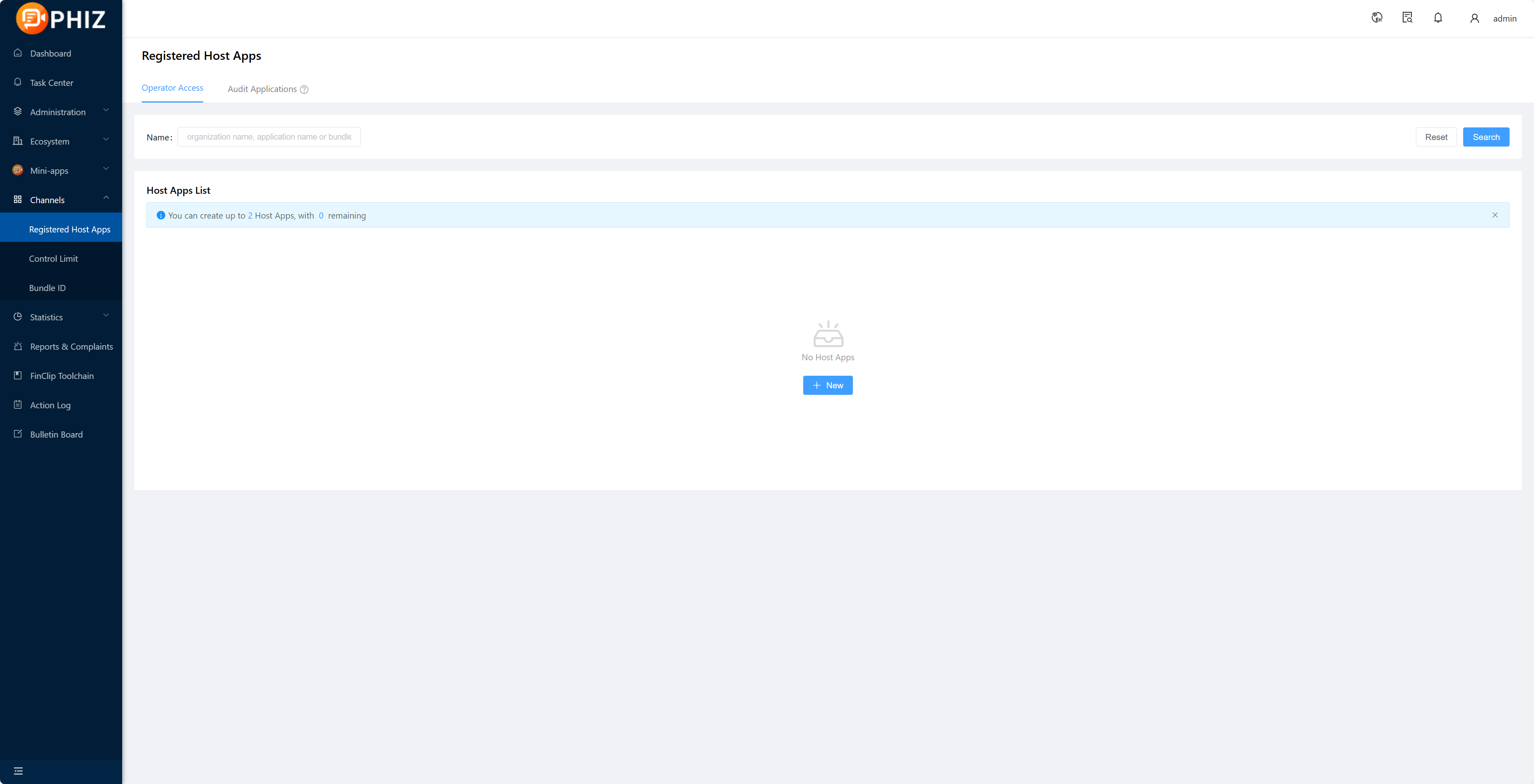
Registered users need to log in to "App Management - New Partner App" to complete app creation;
1.2 Obtaining the SDK KEY and SDK SECRET
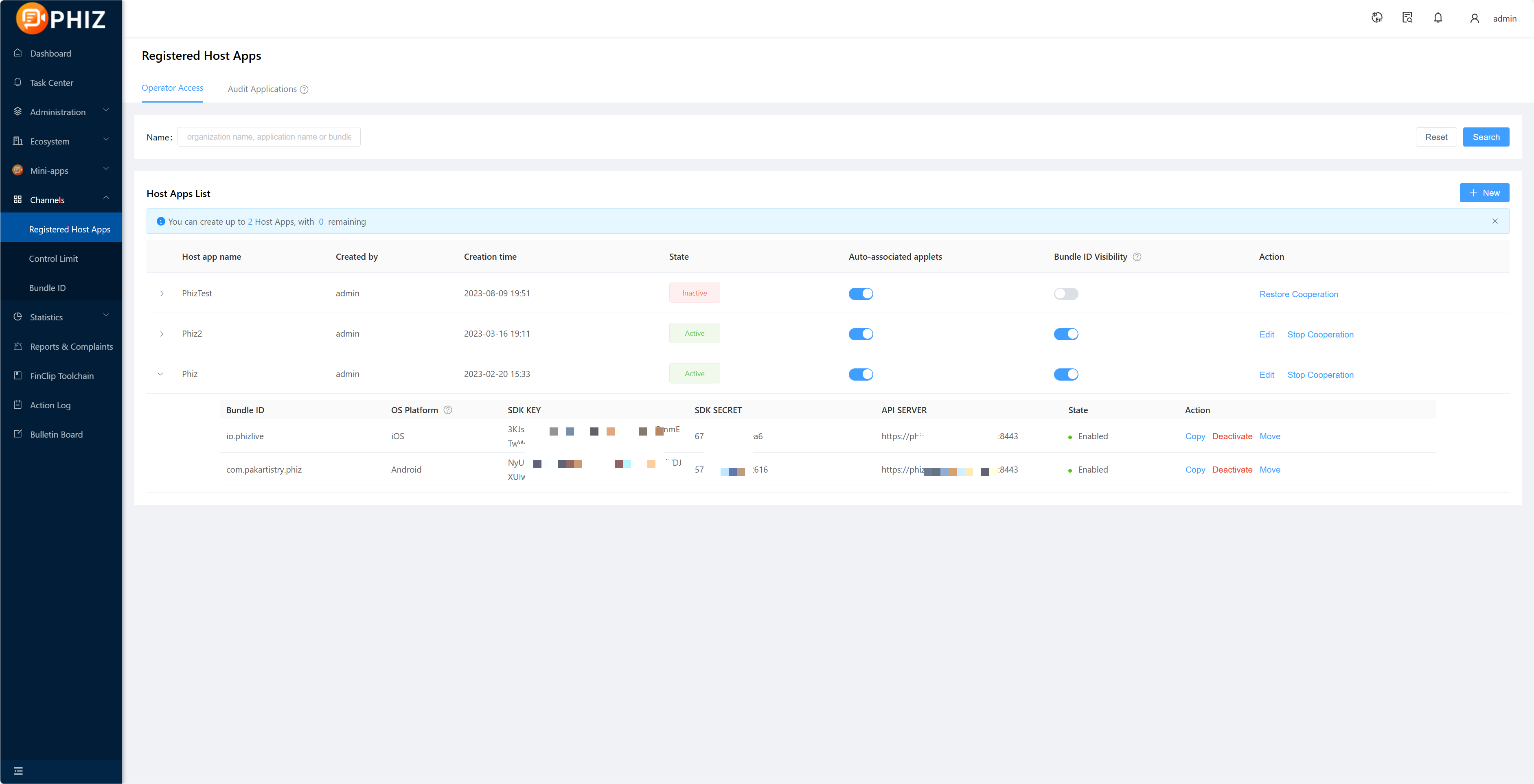
After creating the app and adding the Bundle ID, if you need to export the corresponding SDK KEY and SDK SECRET, please select "Copy" after the corresponding Bundle ID to paste the operation via ctrl+v or command+v;
Of which:
- SDK KEY: It is the credential for the partner application to be able to use the applet SDK. If the SDK Key verification fails, all Api of the SDK will not be available.
- SDK SECERT: is the security certificate for accessing the service, do not give it to third parties.
Tips
For details on creating applications and obtaining the SDK KEY and SDK SECRET, see the 「Introduction-Operation Guidelines-Enterprise Operation Guidelines-7.」 section.
2. Integration of plug-ins
The integration of the PhizClip applet in uni-app essentially calls on the capabilities of the plug-in in uni-app for implementation, which you can find out about by clicking here for details of the plugin's functionality.
2.1 Introduction of plug-ins
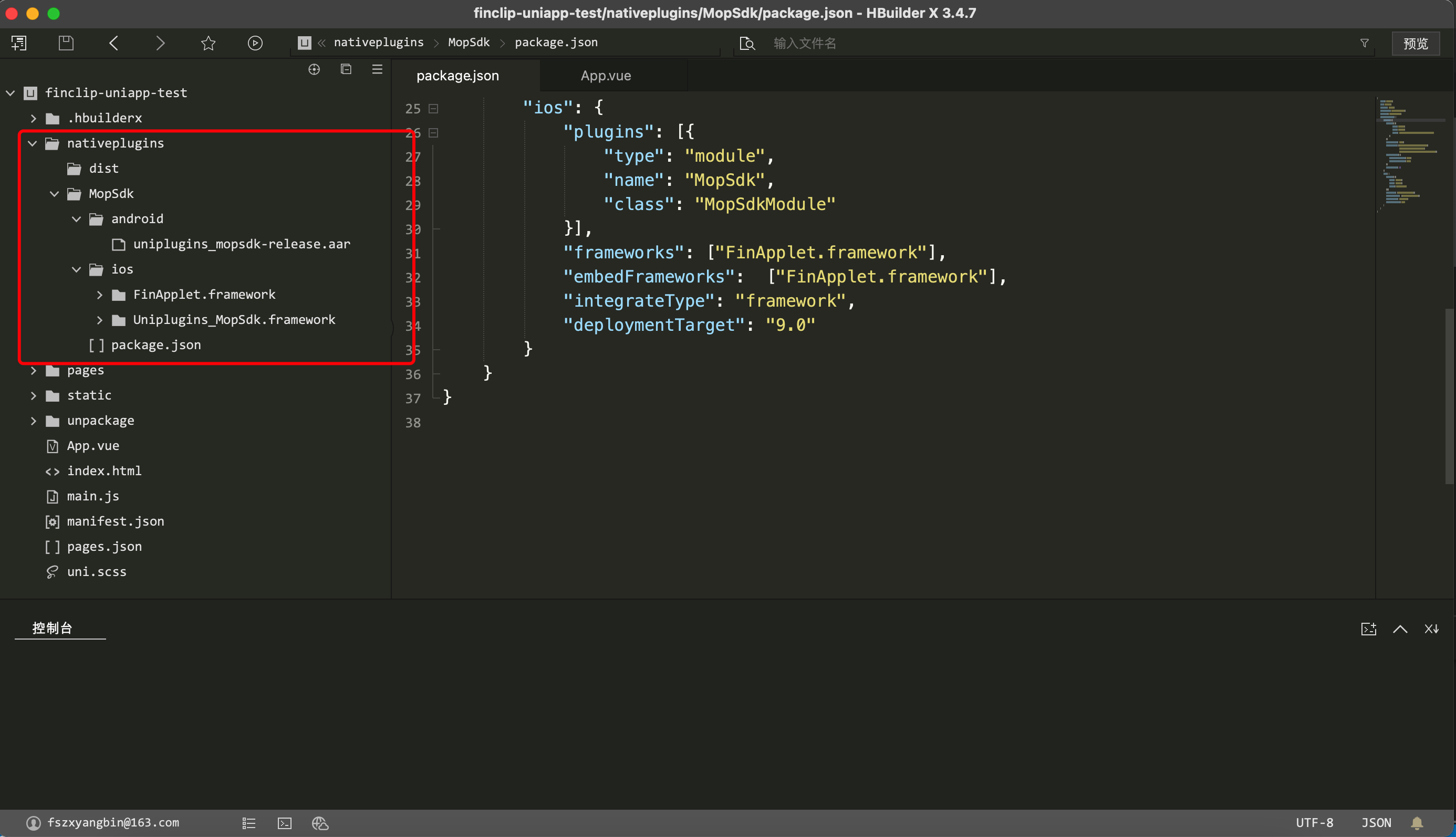
2.2 Selecting plug-ins
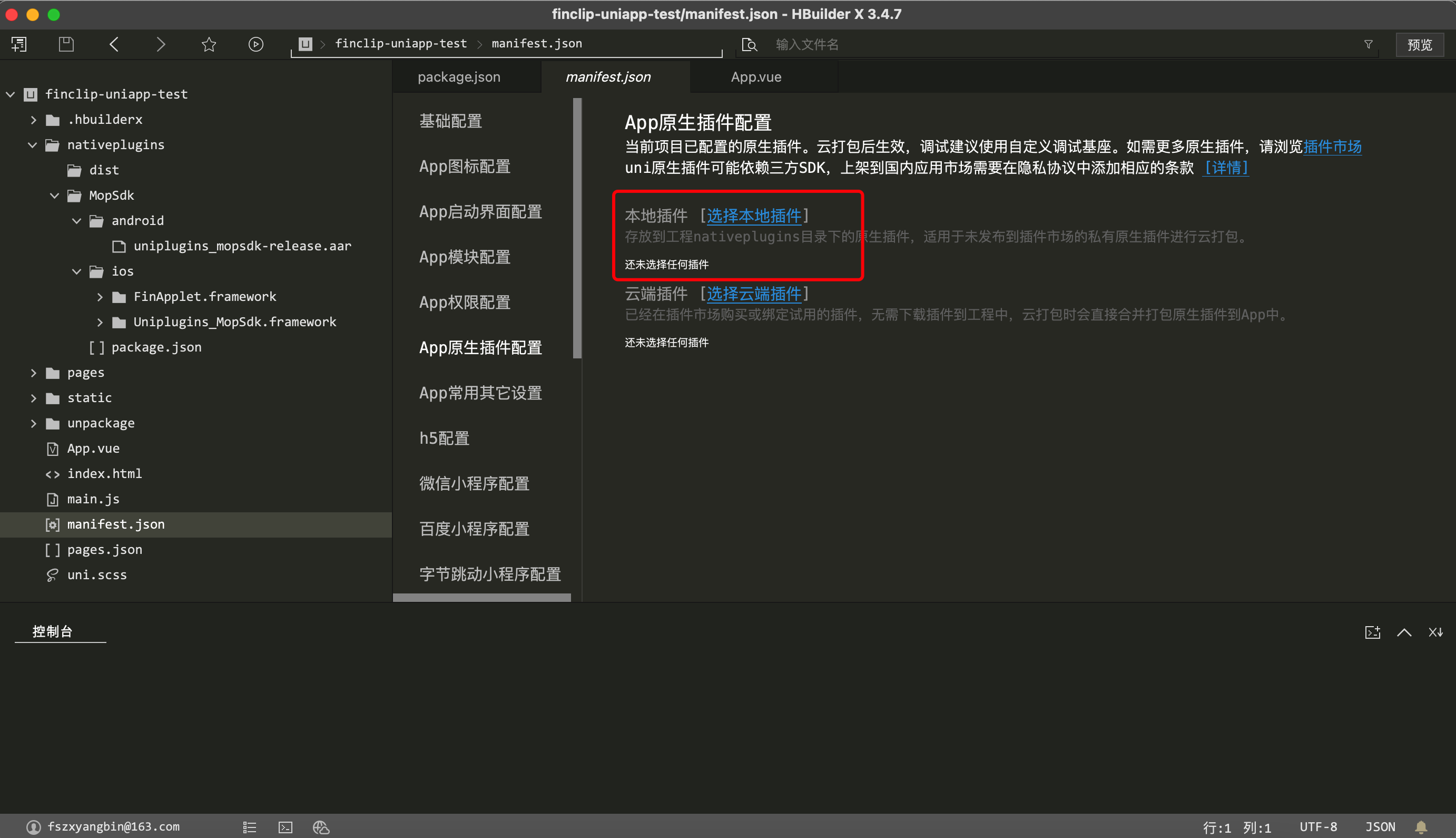
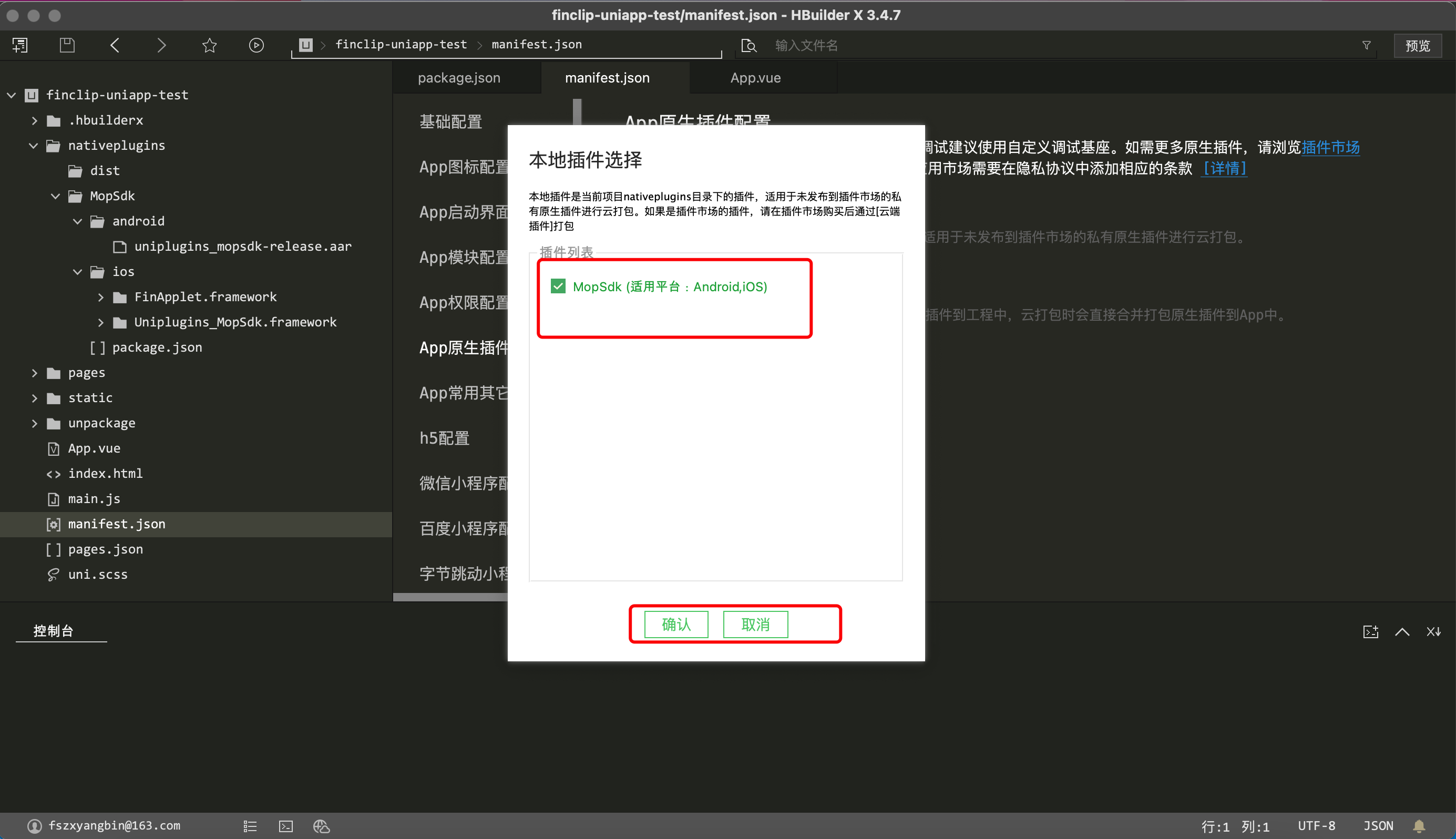
2.3 Generate custom bases for easy debugging
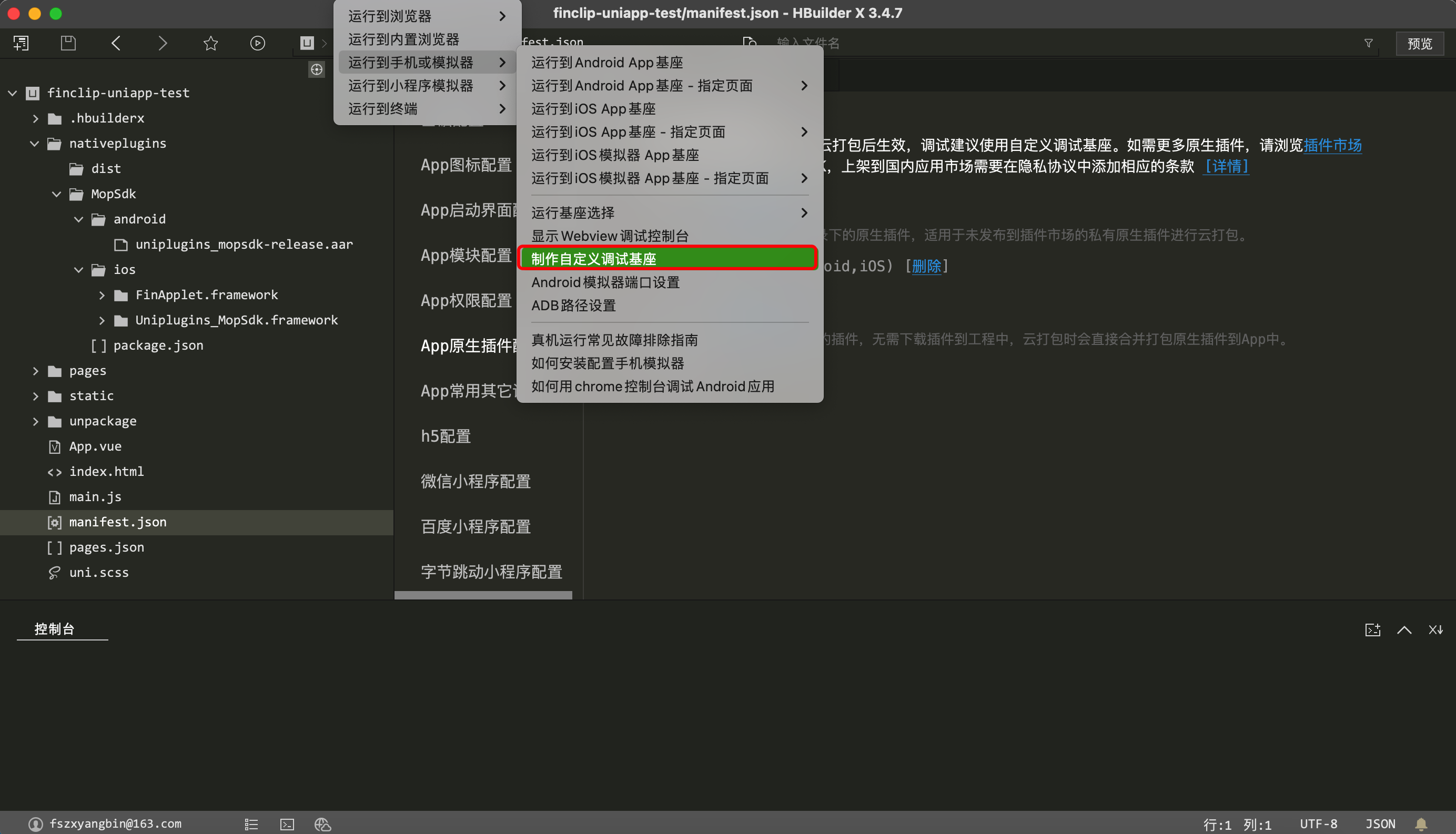
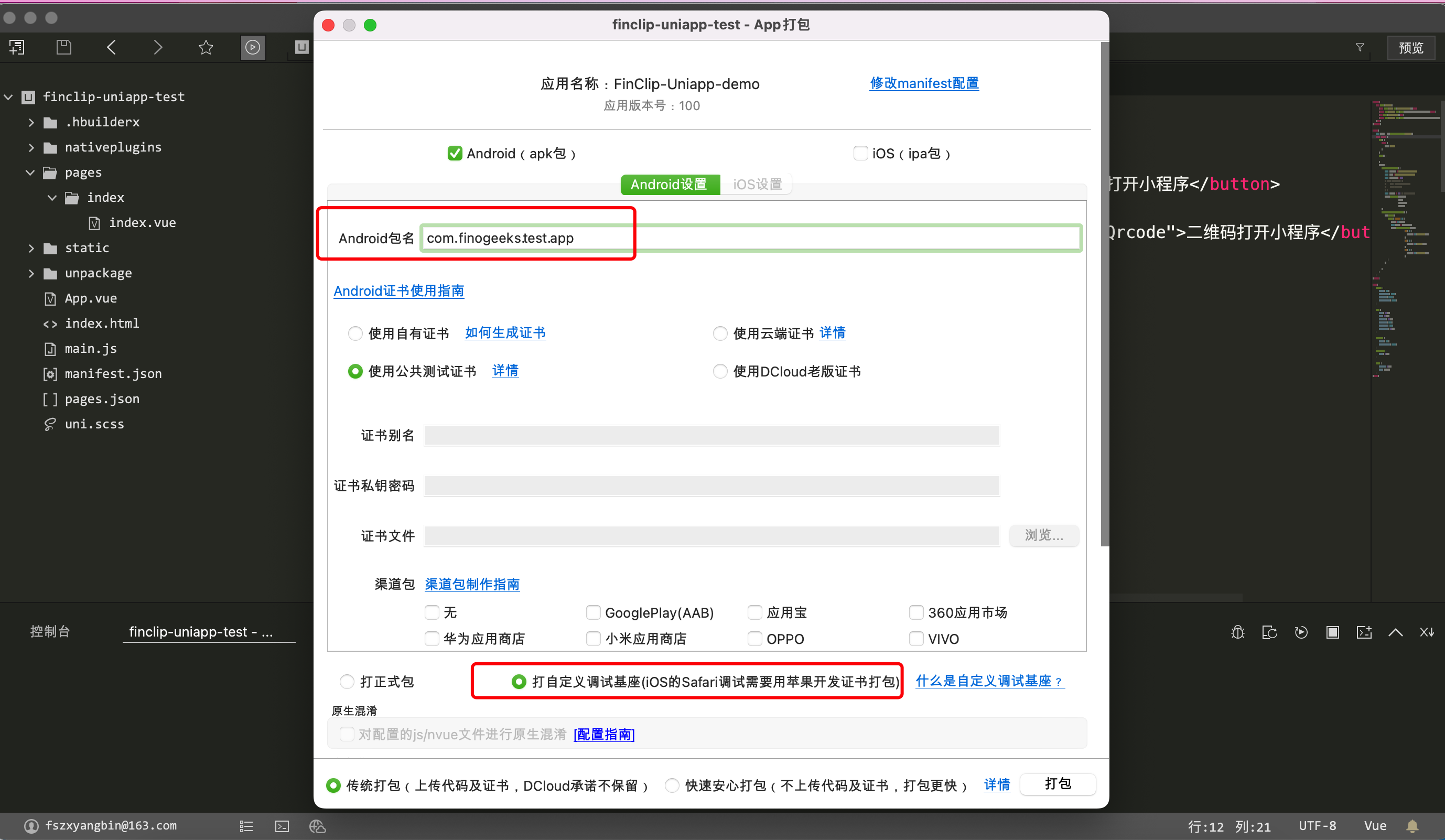
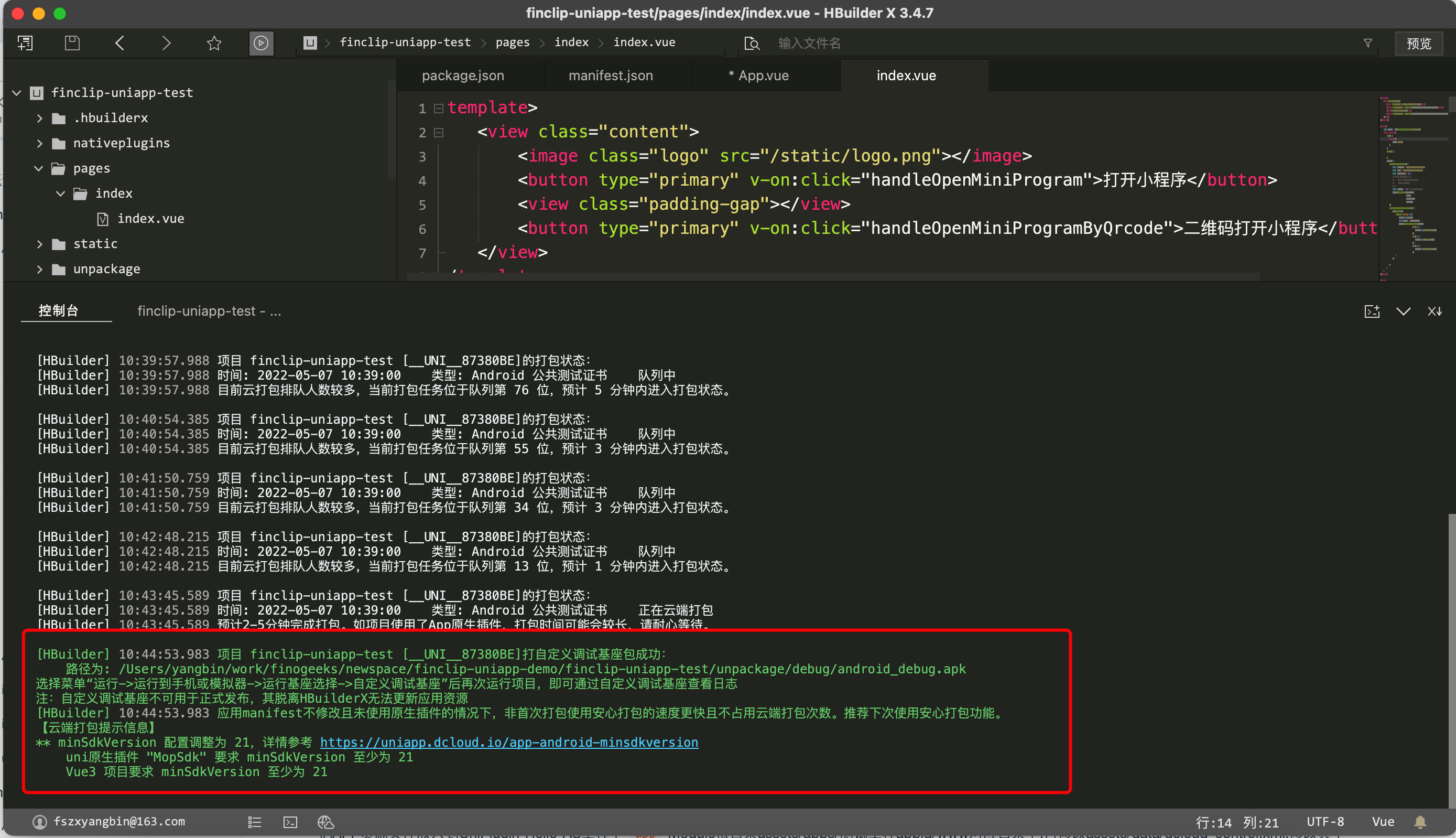
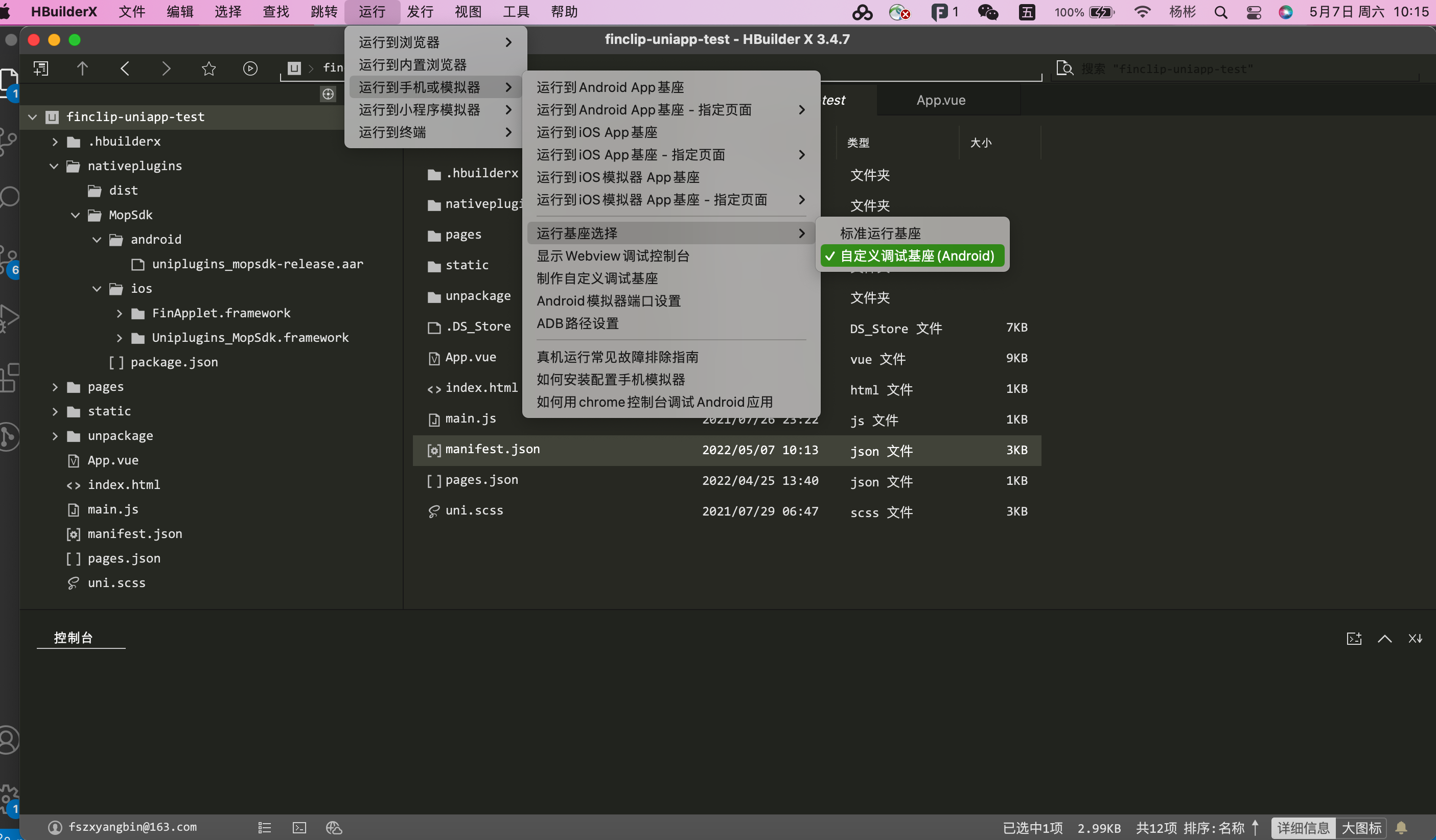
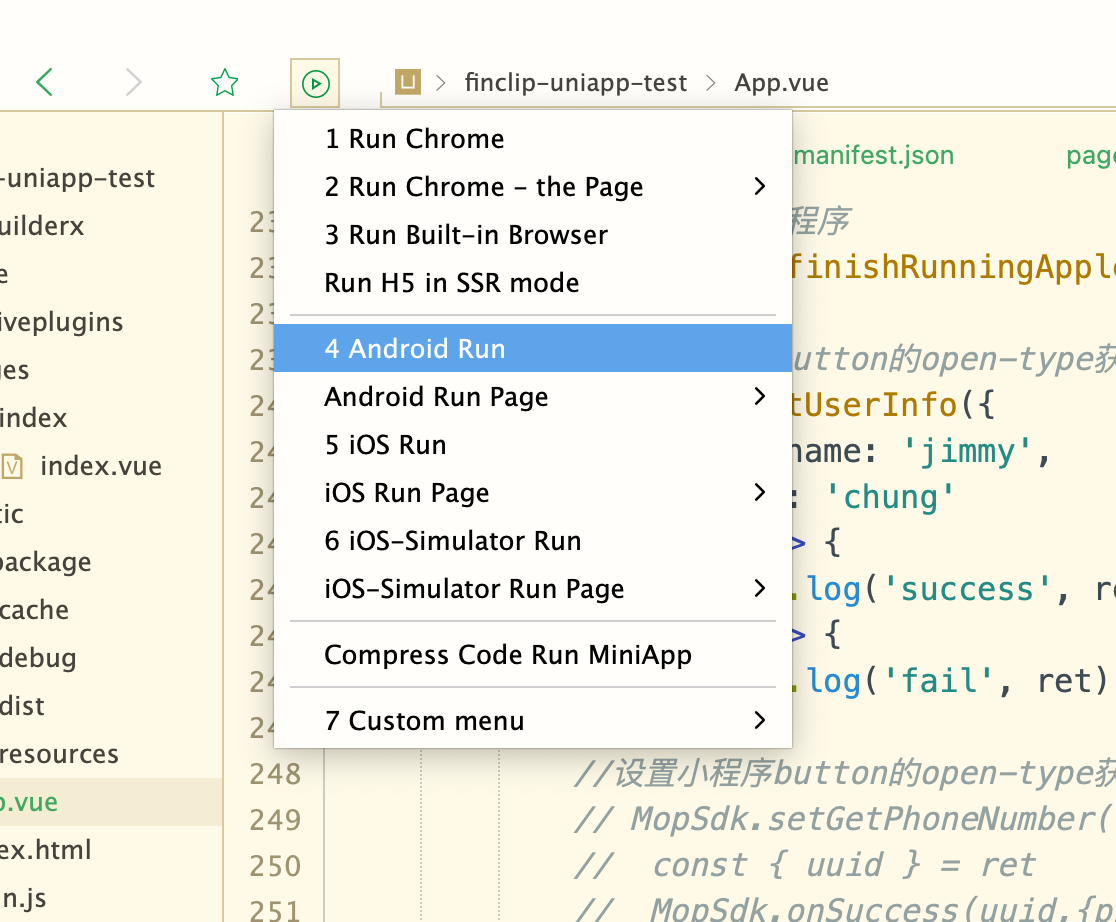
2.4 Initializing the PhizClip applet SDK in the uni-app project
 const MopSdk = uni. requireNativePlugin('MopSdk');
 export default {
 onLaunch: function() {
 MopSdk. initialize({
 'sdkKey': 'SDK Key to be filled in here',
 'sdkSecret': 'Fill in the SDK secret here',
 'apmServer': 'Fill in your server address here', // e.g.:https://api.PhizClip.com;
},
(ret) => {
 console. log('App Launch Success', ret)
},
(ret) => {
 console. log('App Launch Fail', ret)
});
 }
 }
2.5 Opening applets in the uni-app project
< template>
 < view class="content">
 < image class="logo" src="/static/logo.png"></image>
 < button type="primary" v-on:click="handleOpenMiniProgram"> Open
applet</button>
 < view class="padding-gap"></view>
 < button type="primary" v-on:click="handleOpenMiniProgramByQrcode">
QR code to open the applet</button>
 </view>
</template>
< script>
 const MopSdk = uni.requireNativePlugin('MopSdk');
 export default {
 data() {
  return {
  title: 'Hello'
  }
 },
 onLoad() {
 },
 methods: {
 handleOpenMiniProgram() {
 const apiServer = 'https://api.PhizClip.com'
 const appId = '5eec56a41464cc0001852e9a'
 const startParams = null
 // const startParams = {
 // path: '/pages/index/index',
 // query: 'a=1&b=2'
 // }
 const sequence = null // The serial number of the applet on the shelf
 MopSdk.openApplet(apiServer,
 appId,
 startParams,
 sequence)
 },
 handleOpenMiniProgramByQrcode() {
 uni.scanCode({
 success: (result) => {
 console.log(result)
 const qrcode = result.result
 MopSdk.openAppletByQrcode(qrcode,
        (ret) => {
        console.log('onSuccess',ret)
        },
        (ret) => {
        console. log('onFail',ret)
        },
        (ret) => {
        console.log('onProcess',ret)
        })
      }
    })
    }
  }
 }
</script>
3. Frequently Asked Questions
1. Tip iOS generating dock needs to handle certificate issues?
For dock generation on the iOS side, you will need to request a .p12 certificate in advance, you can click here to see the official documentation provided by uni-app.
2. Need to regenerate the project AppID before generating the base?
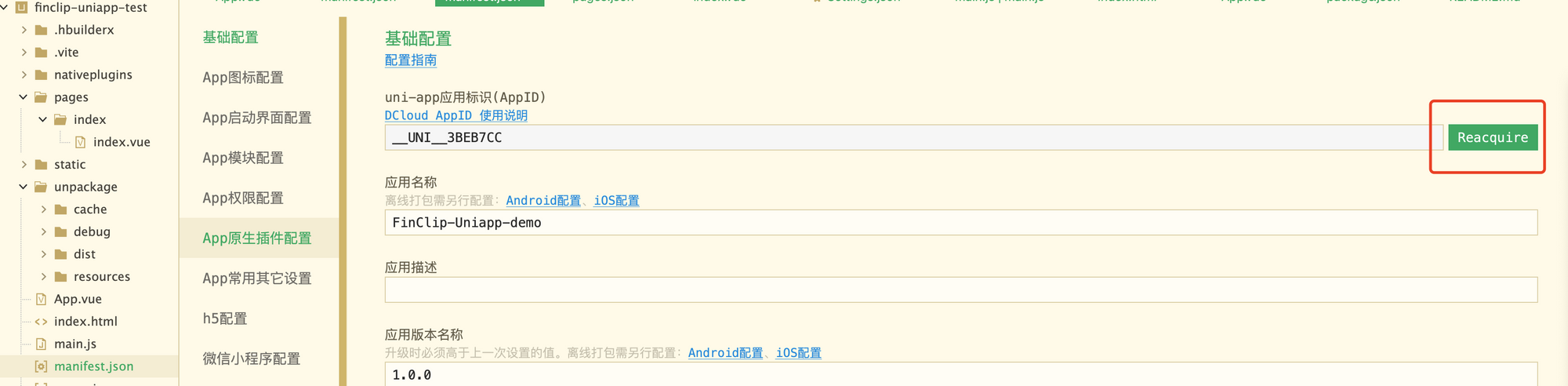
You will need to click on the button in the image below to regenerate the AppID